claude code · the working directory
Where Claude works, and how it reaches outside
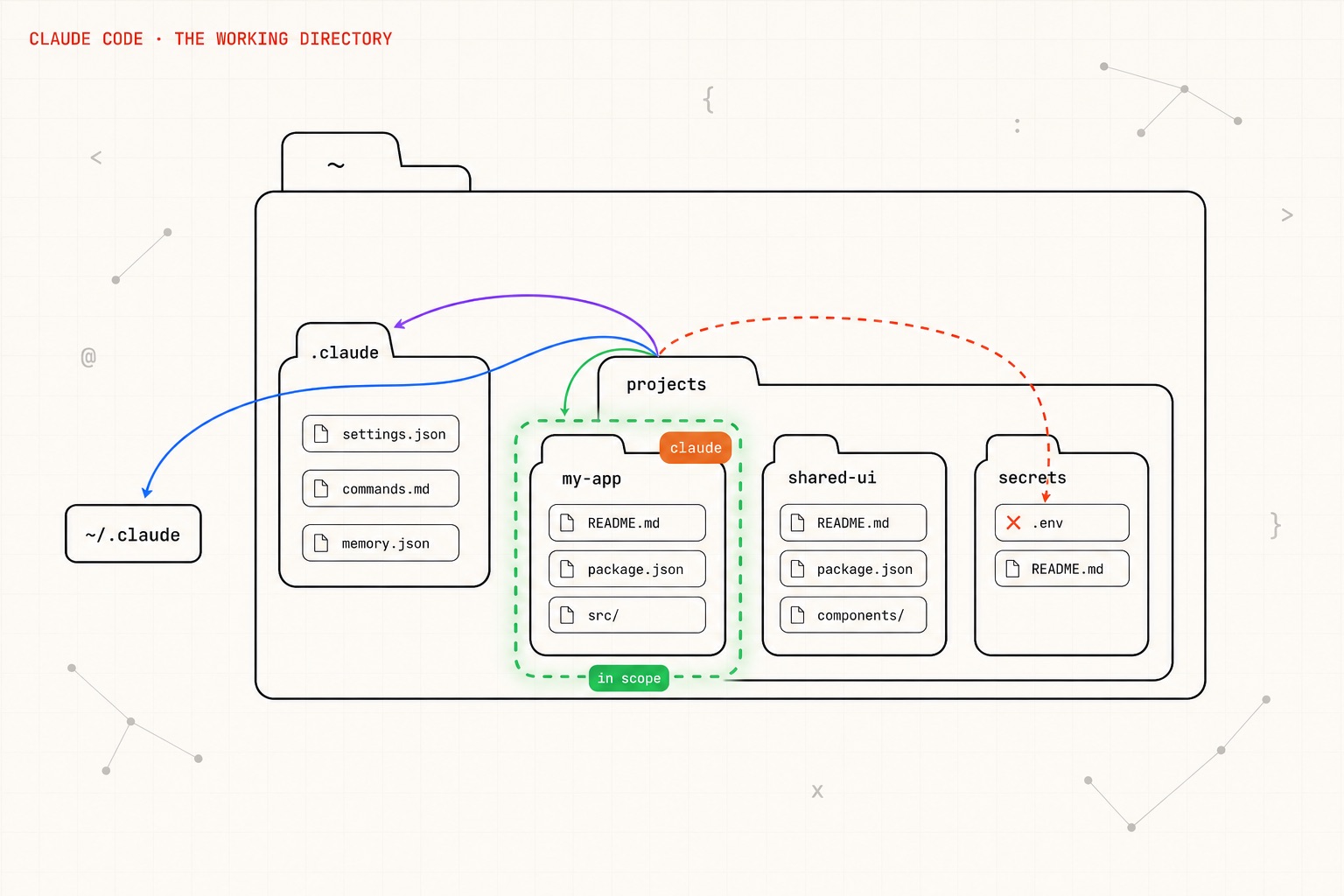
Run claude in a folder and that folder becomes its world — the working directory. But the project isn't a cage. Claude reads memory from parent folders, loads your global ~/.claude, and can be handed extra roots — while anything genuinely outside the fence has to clear a permission prompt first. Step through it: the boundary is drawn, and every crossing is either pre-authorized or asked for out loud.
The working directory is the anchor
You ran claude inside my-app. That folder becomes the working directory — the root of everything Claude does. On launch it already reads my-app/CLAUDE.md for your project's instructions.
Claude reads CLAUDE.md / AGENTS.md from the cwd and every parent directory up to your home folder. Project memory inherits from above.
Global memory, skills, subagents, and settings in ~/.claude are loaded for every session, no matter which project you start in.
Add extra trusted roots at launch or mid-session. The boundary grows to include them, so reads and edits there happen with no prompt.
Reach for any path outside the trusted roots and Claude must ask first. Allow once, allow always (added to settings), or deny — your call.